Two PCs.One stream. No capture card.
Twinlane sends the picture and sound of each app from your gaming PC to your streaming PC over your home network, ready for OBS and TikTok LIVE Studio.
Windows 10 and 11 · Mac with Apple silicon
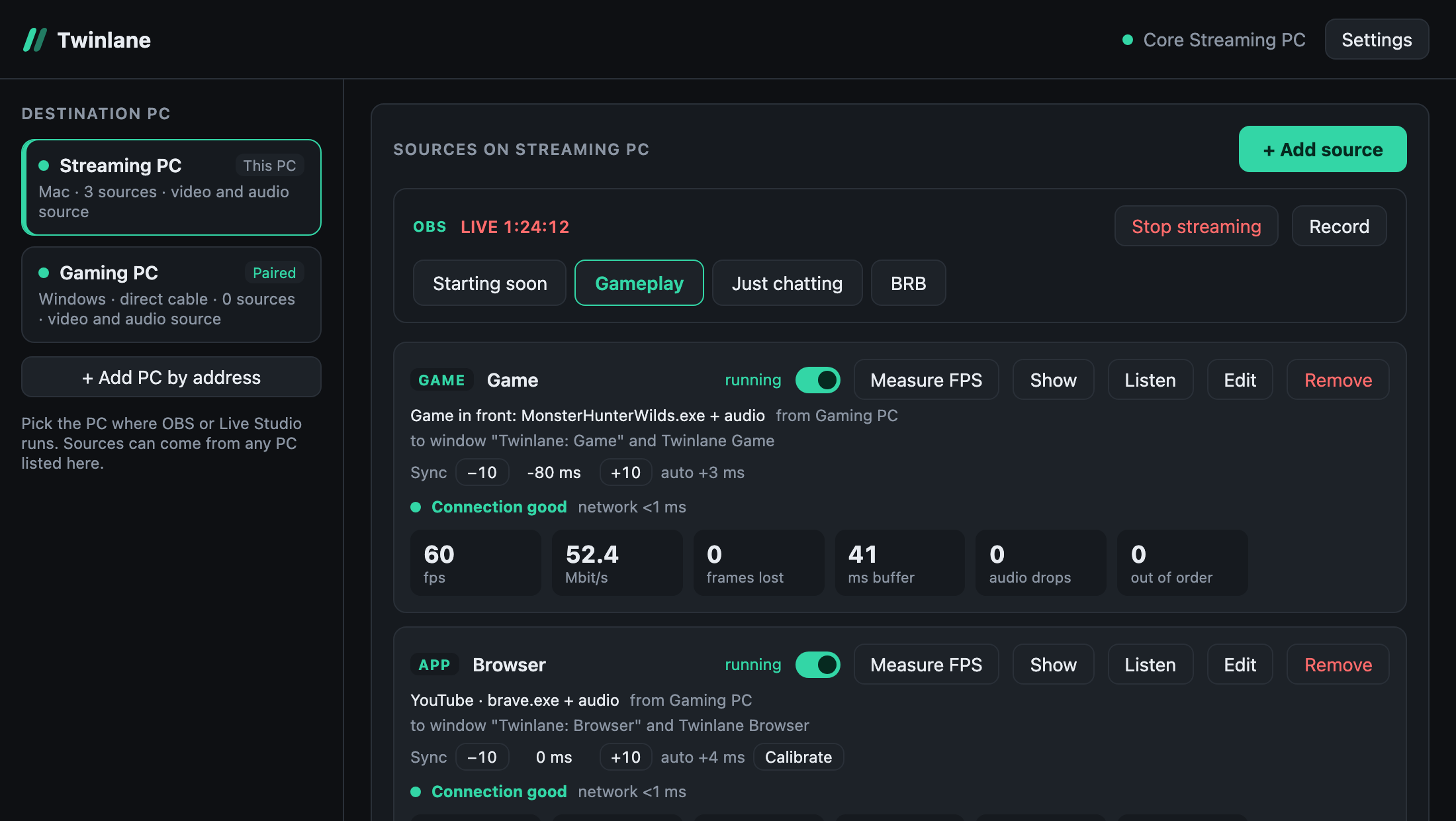
Why Twinlane
A capture card sees one screen. Twinlane sees every app.
Every app is its own source
Game, Discord, browser and music arrive separately, so you can place, mute and mix each one in OBS or Live Studio.
Sound goes both ways
Alerts and TTS from the streaming PC can play in the headset on your gaming PC, without another cable.
No HDMI, no splitter, no hum
Just the network the two PCs already share. No ground loop buzz from split audio cables.
Features
Everything a dual PC setup needs
Picture and sound per app
Pick a window and, if you like, that app’s own sound. Each one lands as its own window and audio device on the streaming PC.
Follows your game
A Game source sends whatever you play fullscreen and switches by itself when you start another game. OBS keeps capturing the same window.
Sync you can tune
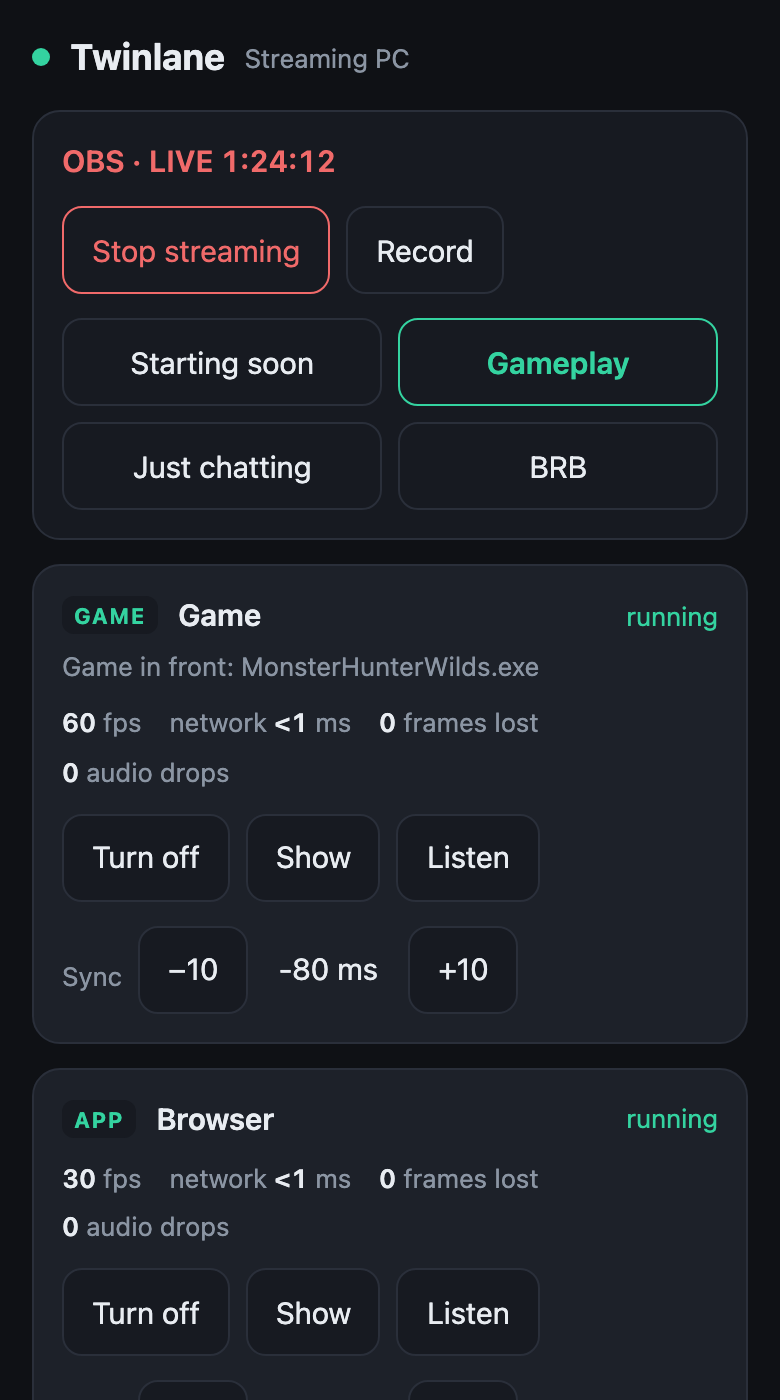
Sync per source, automatic correction for network delay, and one click calibration with a test video for browsers and video players.
Control from your phone
Scan a QR code and turn sources on or off, adjust sync and check the connection from the phone in your hand.
OBS remote
Switch scenes and start or stop streaming and recording from any paired PC or from your phone.
Private by design
PCs pair with a 6 digit PIN and every stream between them is encrypted. Nothing leaves your network.
How it works
Set up in three steps
- 1
Install on both PCs
Run Twinlane on the gaming PC and on the streaming PC. They find each other on the network.
- 2
Pair them once
Choose the other PC and type the 6 digit PIN it shows. The pairing is remembered.
- 3
Add sources
Pick a game, a window or an app’s sound. Capture the “Twinlane” window in OBS or Live Studio and go live.
Performance
2.4 to 2.9%
average FPS drop, measured
Light on your game
Measured in Monster Hunter Wilds at about 140 fps on an RTX 4060 Ti, comparing Twinlane off and on in the same scene. The built in Measure FPS button runs the same test on your own game in a few minutes.
One game on one PC. Your numbers may differ.
Download
Try the beta
Windows
Windows 10 (version 2004 or later) or Windows 11
Mac
Mac with Apple silicon
You need two PCs on the same network (a LAN cable is best) and OBS or TikTok LIVE Studio on the streaming PC.
The beta is not code signed yet. On Windows, choose More info and then Run anyway. On Mac, open System Settings, Privacy & Security, and choose Open Anyway.
FAQ
Questions
Is Twinlane free?
Yes, while it is in beta.
Does it work with TikTok LIVE Studio?
Yes. Capture the Twinlane window with Window Capture and add its sound as a mic source. Tested on Windows and Mac.
Cable or WiFi?
Both work. A LAN cable, between the PCs or to the router, gives the steadiest picture. Each source shows when the connection gets unstable and what to do about it.
Do I still need a capture card?
No. Twinlane replaces the capture card and the audio splitter. The streaming PC gets each app as a separate window and sound.
How much delay does it add?
We are still measuring screen to screen delay and will publish the number here. Sound is held back on purpose so it lines up with the picture, and you can tune it per source.
Why does Windows warn me when I install it?
The beta is not code signed yet, so Windows does not recognise the publisher. Choose More info, then Run anyway.